
Claude · ChatGPT · Gemini
Ask your assistant what to wear. It answers from your closet.
Clad9 connects the closet you've catalogued to Claude, ChatGPT, Gemini and anything that speaks the Model Context Protocol. Your assistant stops guessing about clothes in general and starts dressing you: the trousers in your drawer, the shirt in the wash, the dinner on Thursday.
https://clad9.com/mcp
What should I wear to Saturday's garden party?
Your assistant, using Clad9
Day: Saturday Weather: 24° sun Event: Garden party 2pm Laundry: White linen shirt in the wash
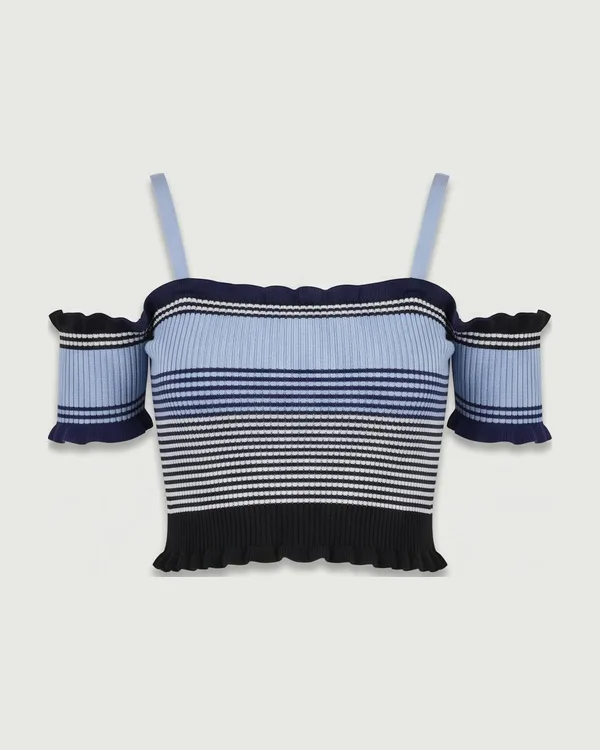
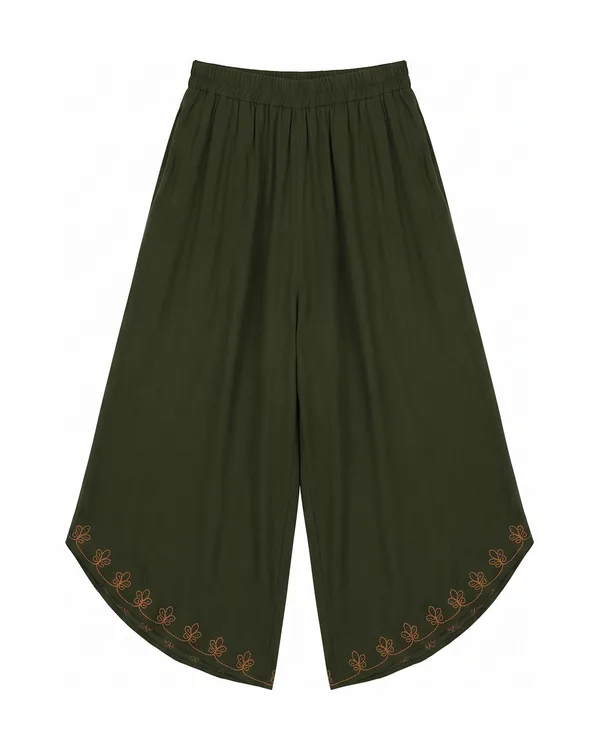
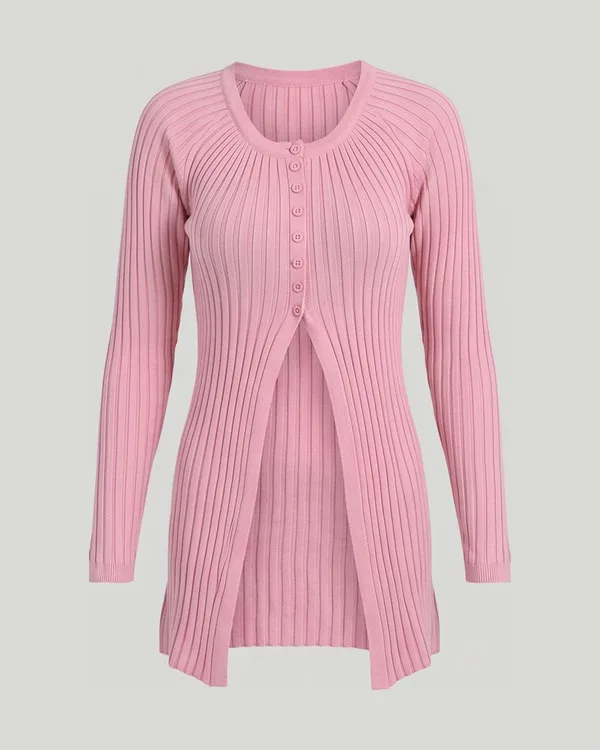
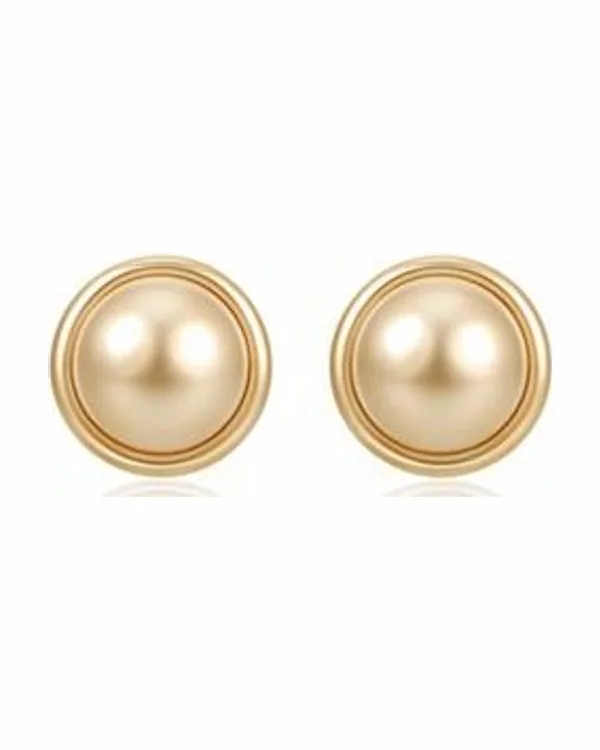
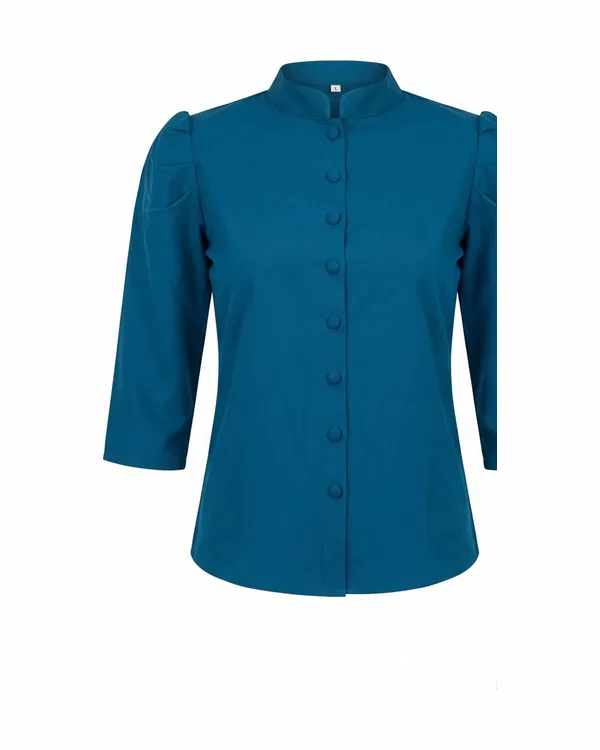
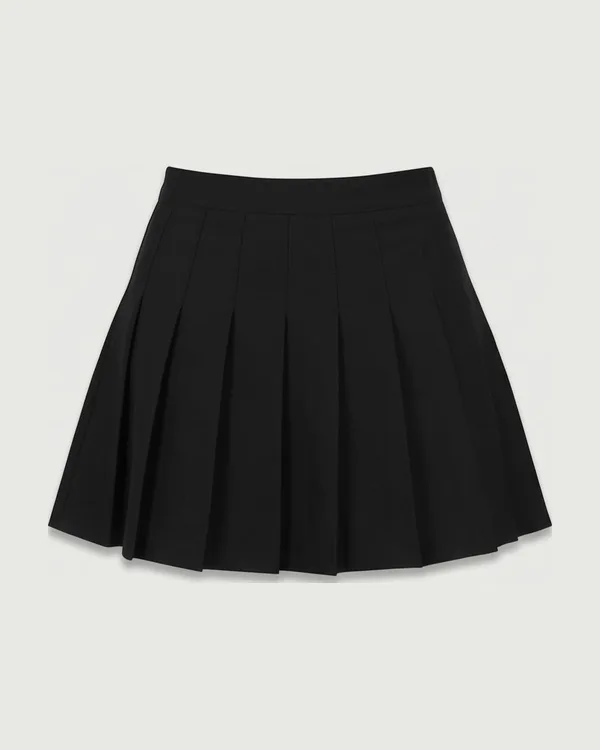
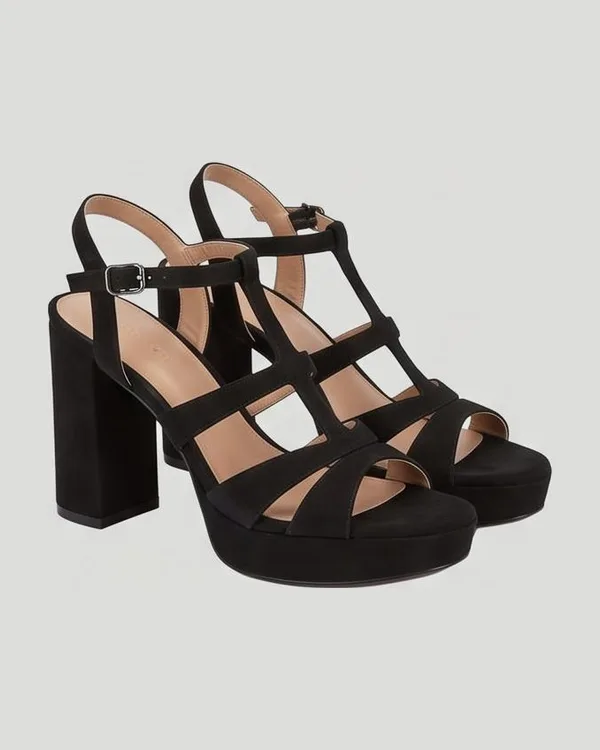
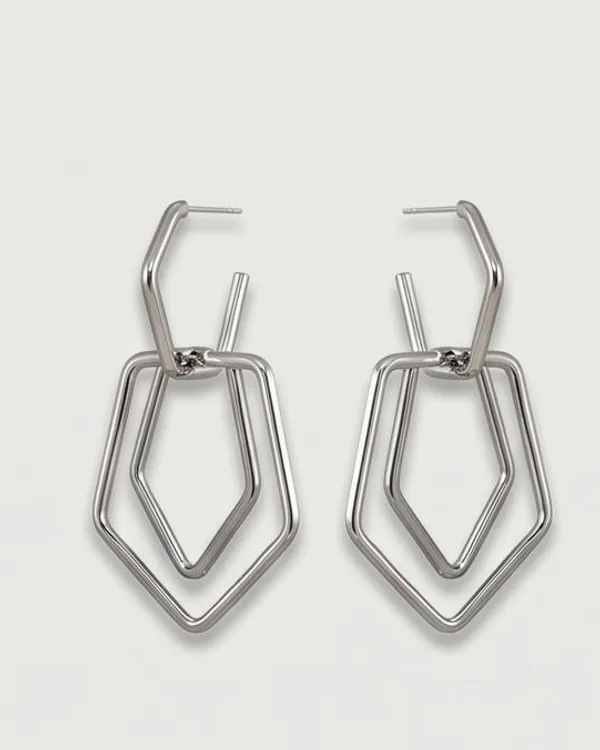
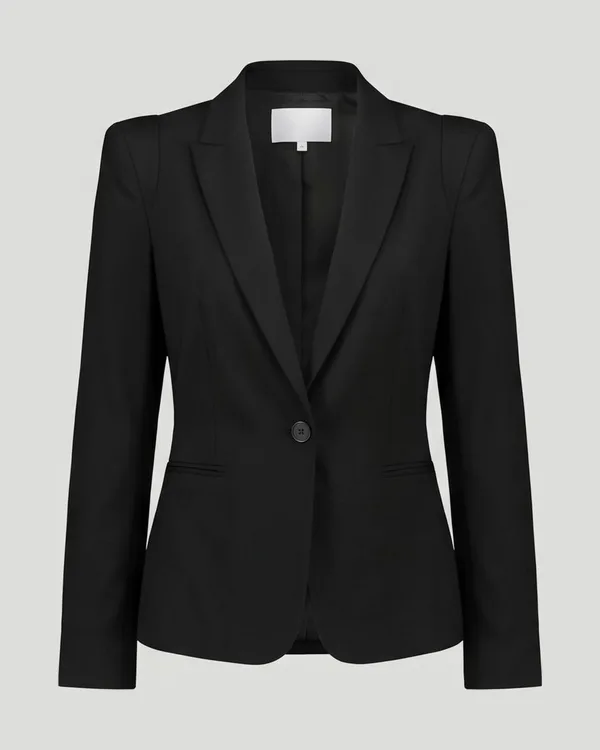
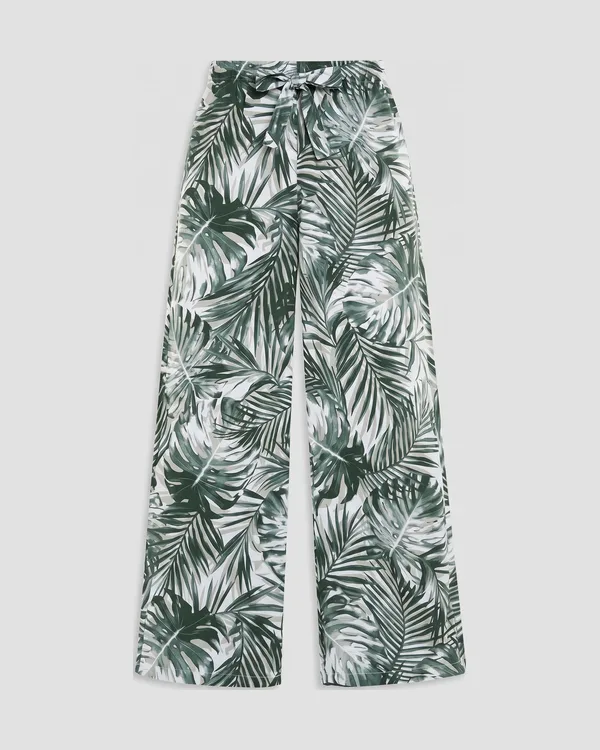
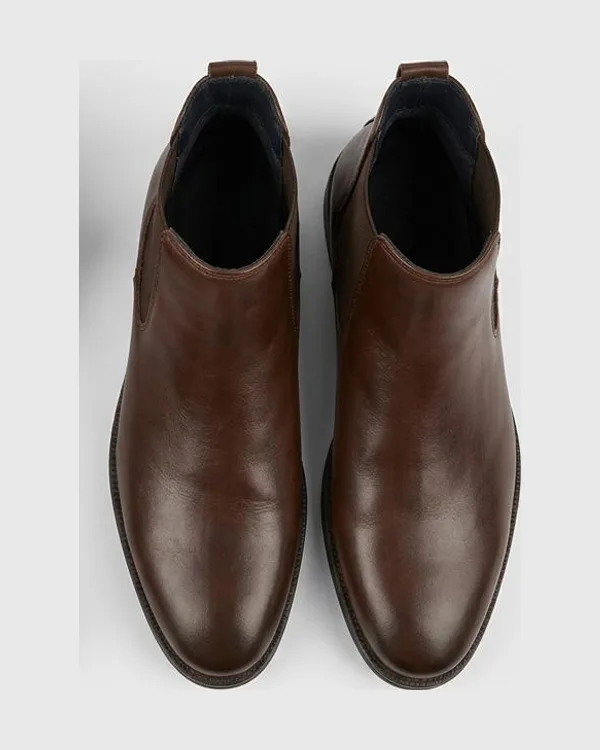
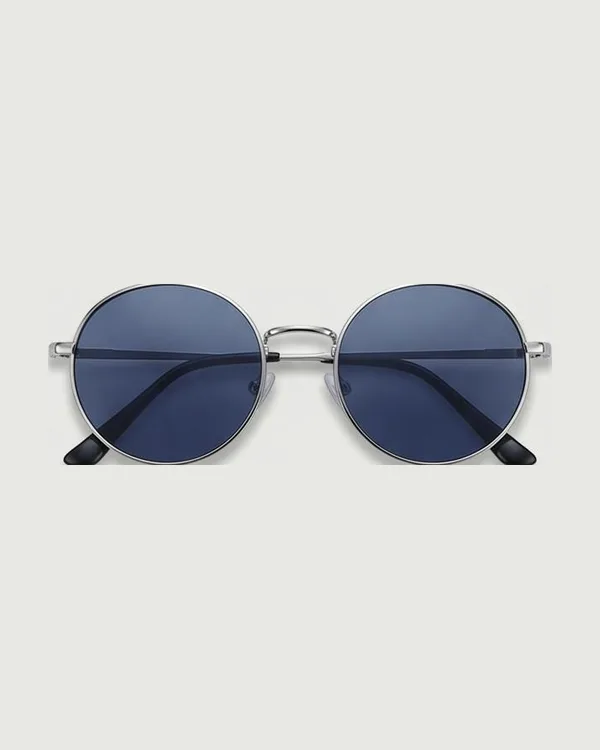
Three looks from your closet. Your white linen shirt is in the wash, so none of them needs it, and the sunglasses in the third are for the sun at two.
-
17
tools your assistant can call
-
3
looks per ask, no two sharing a top, a bottom or a dress
-
5
pieces you can swap on any look, without spending an ask
-
6
permissions, ticked separately for every connection
-
0
photographs of you shared with any assistant
Why connect it
Not a chatbot in an app. Your closet, in the assistant you already use.
An assistant on its own knows a great deal about clothes and nothing about yours. Clad9 gives it your closet, your laundry basket, your calendar and the forecast, and the stylist that puts them together.
An assistant on its own
“For a client dinner, try a navy blazer, a crisp white shirt and dark chinos.”
- It has never seen your closet.
- It doesn't know the navy blazer is in the wash.
- It doesn't know it's raining at seven.
The same assistant, with Clad9
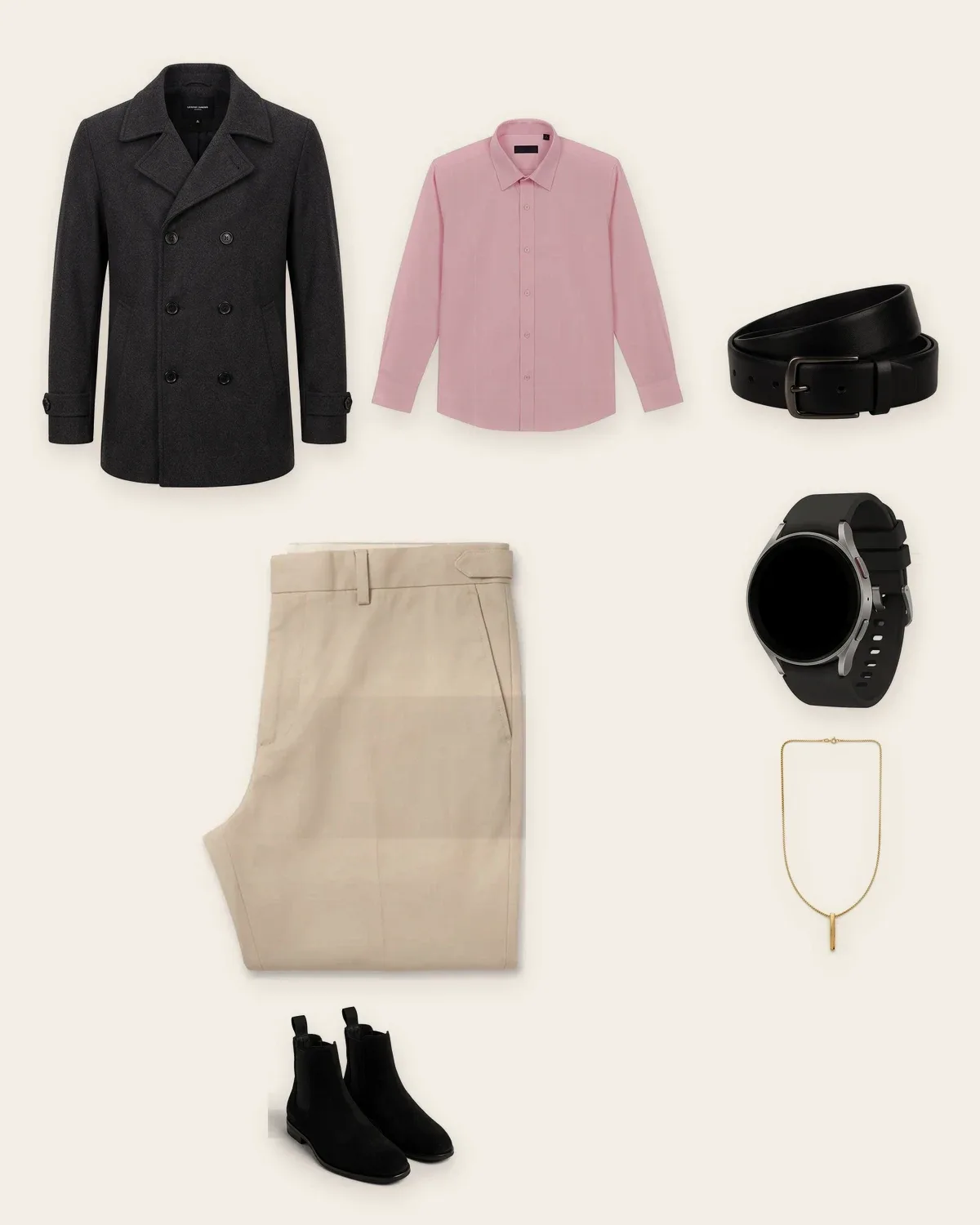
“The charcoal peacoat over your blush shirt, the beige trousers and your black Chelsea boots. The navy blazer is in the wash.”
- Every piece is one you own.
- Nothing from the laundry basket.
- Dressed for that evening's forecast.
17 tools
Everything your assistant can do with Clad9.
Each tool is named for something people actually ask, and each runs the same code the Clad9 app does. An outfit asked for in a chat is the same outfit, from the same closet, on the same allowance, as one asked for in the app. It works with every membership. No upgrade is needed to connect an assistant.
Know your closet
Your assistant reads what you actually own, not what people own in general.
-
“What do I own?”
Your closet counted by the part of an outfit each piece fills and by color, with how much of it is in the wash.
get_wardrobe_summary
-
“Do I have anything warm for a cold morning?”
Searches your closet in ordinary words, narrowed by color, formality or outfit position if you like. The laundry basket stays out unless you ask for it.
search_closet
-
“What do you know about me?”
How you described your clothes and your usual week, how many days running you've worn a Clad9 look, and what's left of today's allowance.
get_style_profile
-
“What can you do for me?”
Your membership, what this connection may do, and how many asks are left today. Read first, so your assistant never offers what it can't deliver.
get_account_status
Get dressed
The stylist itself. Three looks with pictures, from clean clothes, rotated so last week's shirt isn't this week's answer.
-
“Something for a client dinner, with my cowboy hat.”
Three different looks from your closet, each with its picture. Name a piece and it's in every one of them.
recommend_outfit
-
“None of these. Try again.”
Three new looks for the same day, kept clear of everything it has already offered you.
suggest_another_outfit
-
“Show me the second one.”
One look, or a whole set at once: the pieces, why they work together, the picture, and whether you wore it.
get_outfit
-
“Same look, different shoes.”
Say what you'd change, in your own words: different shoes, warmer, no black. Only the pieces that answers change, from your closet, the rest stay exactly as they were, and the picture is redrawn. 5 changes per look.
refine_outfit
-
“What did I wear last week?”
Every look Clad9 has offered you, grouped by what you asked for, and the ones you actually wore.
list_outfits
Your week, dressed
Connect a calendar and Clad9 dresses what's in it by itself. Your assistant reads the answer.
-
“What's on Thursday?”
Your events with what Clad9 made of each: the occasion, the dress code, indoors or out, a video call or not, the forecast, and the look already built for it.
get_upcoming_events
-
“Dress me for Saturday's wedding.”
Builds a look for an event that doesn't have one yet.
dress_calendar_event
-
“Not that for the wedding.”
Turns an event's look down and builds a different one from pieces it didn't use.
try_another_for_event
What you wore
Wearing a look is a decision Clad9 remembers, so next week isn't a repeat of this one.
-
“I'm wearing the first one.”
Marks every piece worn, sends the washable ones to the laundry basket and keeps them out of your looks for the week.
accept_outfit
-
“Actually, I changed.”
Takes it back: out of the worn log, and out of the basket if that's how they got there.
undo_outfit_decision
The laundry basket
Nothing in the wash comes back into a look until it's clean.
-
“What's in the wash?”
The basket, oldest first, and whether it's full enough to be worth a wash.
get_laundry
-
“The flared jeans and the teal blouse are in the wash.”
Moves pieces into the basket by name, or every washable piece of a look at once.
send_to_laundry
-
“Laundry's done.”
Puts them back into rotation.
mark_clean
In ChatGPT
The look, not a list of garment names.
Clad9 ships its own cards, so a recommended outfit arrives as something you can look at and tap. In Claude and other clients, outfit pictures come back as images, so you see the look rather than read about it.
-
The outfit card
The picture, the pieces by position, and buttons to wear it, swap any piece or ask for another.
-
The closet strip
Search results as tiles with their photos, so twenty garments aren't read out one by one.
-
The days ahead
Your upcoming events, each with the look already built for it, and a button for any that hasn't got one.
- TopTeal blouse
- BottomBlack pleated skirt
- ShoesBlack heeled sandals
One stylist
The same stylist, wherever you ask.
Your assistant doesn't get a lesser Clad9. It gets the one the app runs, with every rule it keeps.
-
Never what's in the wash
The laundry basket is skipped, and what you wore this week is rotated out.
-
Your day, not an average one
The forecast, the event's dress code, indoors or out, a video call or a dinner.
-
The pieces you name
Ask for your cowboy hat and it's in every look. Nothing else is passed off as it.
4 ready-made prompts
Pick one from the menu and it's asked well.
Clients that show prompts list these with the connection. Each one tells your assistant which tools to use, in which order, and what not to spend.
-
Dress me for today
Checks your calendar first and shows you the look already built for anything on today. Otherwise asks for three.
-
What am I wearing on a given day?
Reads back the look Clad9 built for Thursday, the 14th or tomorrow, without spending a new one.
-
What's in the wash?
The basket, and which parts of your closet it leaves running thin.
-
Pack for a trip
A packing list from your own closet, against what's in your calendar while you're away, favoring pieces that work more than once.
Connecting one
Pick your assistant. We'll give you the exact steps.
You need a Clad9 account with a closet in it. After that, each assistant gets there a different way: Claude takes a URL, Gemini CLI a block of settings, and the Gemini app needs Spark. Every connection is separate: connect your laptop and not your phone, allow one assistant more than another, and disconnect either without touching the rest.
- Claude One click claude.ai and the Claude desktop app, as a custom connector. See the steps
- Claude Code One click One command in a terminal. See the steps
- ChatGPT One click A connector in settings, behind developer mode. See the steps
- Gemini CLI One click A block of JSON in your settings file. There is nowhere to paste a URL. See the steps
- The Gemini app Needs Spark Only through Gemini Spark's Connected Apps — and only if you're eligible for it. See the steps
- Anything else With a key Your own script, an agent framework, any client that sends a header. See the steps
Built to be trusted
You choose what it may do. Some things it can never do.
What you can allow
Ticked separately for each connection, and changed whenever you like.
- See what's in your closet, your laundry basket and your style profile
- See outfits Clad9 has recommended you and what you wore
- Ask for a new outfit, and mark one as worn
- Send clothes to the laundry basket and mark them clean
- See your upcoming events and what they need
- Dress an upcoming calendar event
What we keep, and what we can't
- A log you can read. Every request an assistant makes is recorded and shown back to you in plain language ("Asked for an outfit for 'client dinner'", "Sent 3 items to the laundry basket") under the connection that made it. A log you can't read isn't consent.
- The assistant is not Clad9. Your question and what Clad9 sends back are handled by whoever makes that assistant, under their privacy policy and their retention and training terms, not ours. We can't delete it for you. Read their policy before you connect them.
- Disconnecting works immediately. We revoke the credential on our side, so it stops being able to read anything whether or not it still holds one.
What it will never do
These aren't permissions you can grant and choose not to. They aren't offered at all, and that's deliberate: an assistant's context can hold a web page, an email or a calendar invite written by somebody who is not you.
- No photographs of you, ever. Your portraits and your fit-check pictures are never sent to a connected assistant, at any permission level, in any form. Clad9 will tell it which garments a fit check matched; it will not give it the picture. Photos of your clothes and the outfit images Clad9 draws can be shared, because that's what makes the answer useful. A photograph of you is a different thing.
- Nothing destructive. No deleting garments, no account or plan changes, no payment details, no disconnecting your calendar. Everything an assistant can change, you can change back in the app in one tap.
- No adding to your closet. Cataloguing a garment is a photo you took, deliberately, with a duplicate check and a cost behind it. An assistant looping over that is a bill and a cluttered closet, so capture stays something a person does.
- No extra allowance. An outfit asked for here costs the same outfit it costs in the app, out of the same daily allowance.
The full detail is in our privacy policy, under "Connected AI assistants".
Questions
Before you connect one.
Which assistants work with Clad9?
Claude, Claude Code, ChatGPT, Gemini CLI and the Gemini app through Spark, and anything else that speaks the Model Context Protocol, including scripts you write yourself. Most connect with one approval screen; anything else uses a connection key.
Does it cost extra?
No. It works with every membership. An outfit asked for in a chat costs the same as one asked for in the app, out of the same daily allowance, and swapping a piece costs nothing.
Can my assistant see photographs of me?
Never. Your portraits and fit-check pictures don't leave Clad9 at any permission level. Your assistant can learn which garments a fit check matched, and see photos of your clothes and the looks Clad9 draws.
Will it suggest clothes I don't own?
Not through Clad9. Every look is built from your catalogued closet, with nothing from the laundry basket, and each tool tells your assistant to answer from your closet rather than from general knowledge.
Can it change my account or delete anything?
No. There's no tool for it. Your assistant can ask for looks, mark them worn and move pieces in and out of the laundry basket. Everything it changes, you can change back in the app in one tap.
How long does a look take?
About a minute for three. Your assistant is told how long to wait and when to check back, so it doesn't give up and guess.
From the journal
Read more
Why an assistant can't answer wardrobe questions on its own, and what Clad9 gives it to answer from.

AI Assistants · 8 min read
Ask Your AI Assistant What to Wear — From Clothes You Own
Claude and ChatGPT give confident outfit advice about clothes you don't own. See what the Model Context Protocol changes, and what Clad9 will never let an assistant reach.
September 20, 2026
Wardrobe · 7 min read
Does Your Wardrobe App Know What You Actually Wore?
Most wardrobe apps track what they suggested, not what you put on — so they keep recommending clothes that are in the wash. Here's the fix, and what to look for.
September 19, 2026
Daily Styling · 7 min read
Why Three Outfit Options Beat One Recommendation
Decisive apps hand you one outfit, so you tap "show me another" eight times and compare pictures against memory. Here's why a shortlist of three works better.
September 18, 2026
Clad9 · your daily outfit planner
Catalogue your closet first
An assistant can only answer from clothes Clad9 knows about. Photograph your closet, let Clad9 identify what's in it, then point whatever you already work in at it.